
(916) 390-0025





Heat in the Morning, AC in the Afternoon: Sacramento Fall Thermostat Settings
Admin Capital City Comfort • October 2, 2026
A practical guide to system modes, fan settings, and fall comfort.
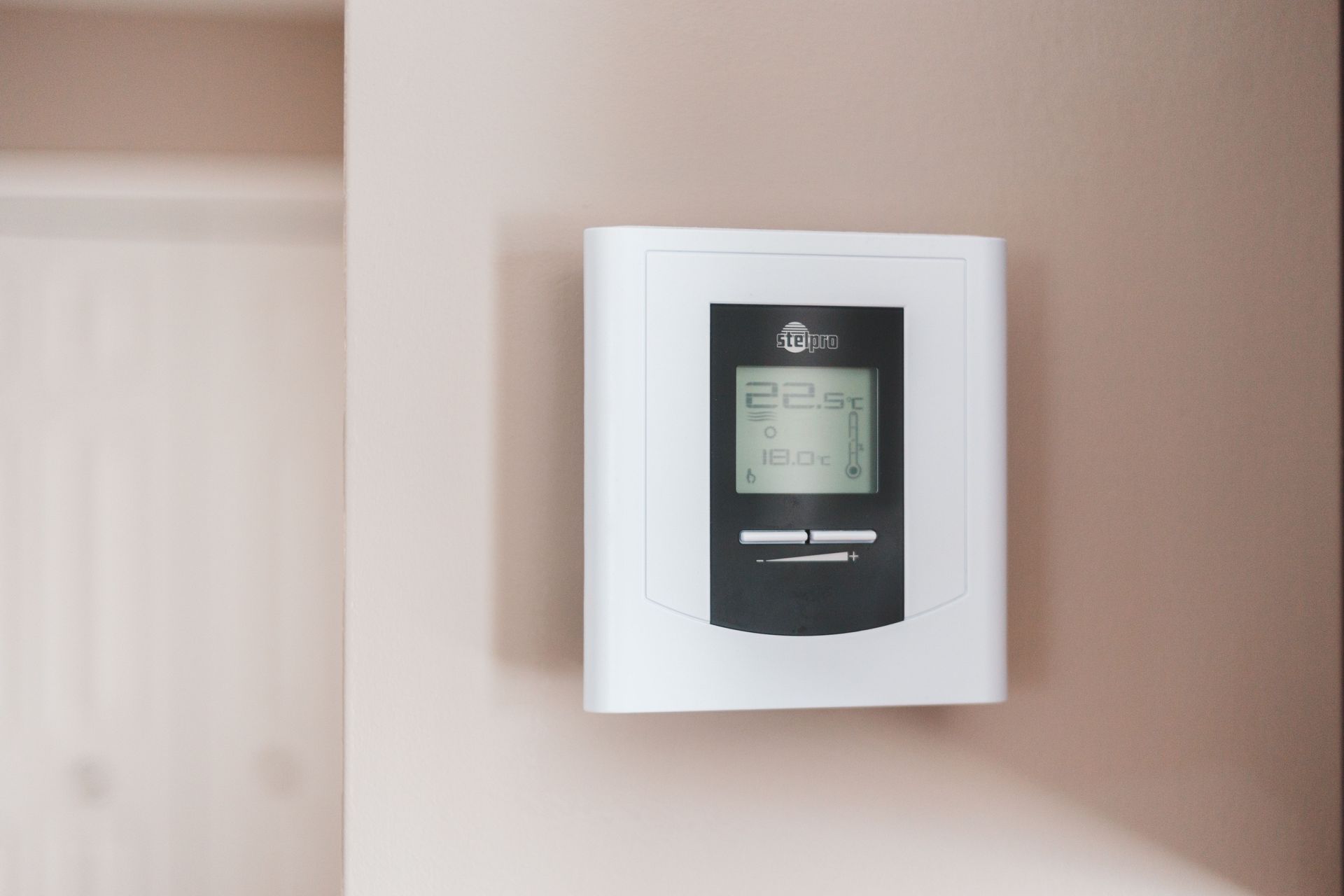
On a Sacramento fall day when the house feels chilly at breakfast but warm later, it can be tempting to keep switching the thermostat. Before making another adjustment, check which setting you are changing: the system mode, fan mode, scheduled temperature, or a temporary override.
Those controls do different jobs. A short review can help you decide whether the thermostat is following its instructions or whether the heating and cooling system needs attention.
System Auto and fan Auto mean different things
Some thermostats have two separate Auto settings. The available choices depend on the model and how it was configured. Read the label beside the setting rather than relying on the word Auto alone. [1]
| Setting | What it controls |
|---|---|
| System: Heat | The thermostat can request heating. |
| System: Cool | The thermostat can request cooling. |
| System: Auto / Heat-Cool | On compatible equipment, it selects heating or cooling using separate temperature settings. |
| Fan: Auto | The blower normally runs with a heating or cooling call, subject to the equipment's operating sequence. |
| Fan: On | The blower runs continuously, including between heating or cooling calls. |
Fan On does not necessarily mean the furnace is producing heat. Air moving between heating calls can feel cool. Check whether the thermostat actually shows a heating request before describing the symptom as “the furnace only blows cold air.” Honeywell Home explains these fan settings separately from heating and cooling selection. [2]
Use a temperature range when automatic changeover is supported
Automatic changeover can be useful when a property needs heating and cooling on the same day. It uses a lower heating target and a higher cooling target. The space between them allows the indoor temperature to move within a comfortable range without requesting the opposite mode immediately. [3]
For illustration, a household comfortable between 68°F and 76°F might choose those as its heating and cooling targets. These numbers are an example, not a universal recommendation. Choose settings that suit the occupants, and follow the thermostat's required separation and equipment instructions.
Some equipment has outdoor-temperature restrictions on cooling or automatic changeover. Do not enable a hidden installer setting simply to make Auto appear. If you cannot confirm compatibility from the manual, ask a technician to review the setup. [3]
Review the schedule before replacing the thermostat
If the temperature setting changes at roughly the same time each day, look at the programmed schedule first. Review weekday and weekend periods, the displayed time, and any Hold, Away, or app-based settings your model offers. A screenshot before you change anything preserves a useful record.
Write down what you want the home to do at three points: before people wake up, while the property is unoccupied, and when everyone returns. Compare that plan with the actual settings. Make one adjustment at a time so you can tell whether it helped.
For heat pumps, dual-fuel equipment, or a recently replaced thermostat, ask whether the controls match the installed system before copying a schedule from another household. The right configuration is equipment-specific.
Try a simple two-day comfort log
For a Sacramento home with cool mornings and afternoon discomfort, record the following once in the morning and once later in the day:
- The displayed room temperature and heating/cooling targets.
- The system mode, fan mode, and any Hold or schedule indication.
- Whether the thermostat says it is calling for heat or cooling.
- Which rooms feel uncomfortable and whether direct sunlight is reaching the thermostat.
A useful service description might be: “At 7 a.m., Heat was selected and the room was below the target, but the display never showed a heat call.” That gives more direction than “the thermostat is bad.” Do not open equipment panels or change wiring to investigate.
When settings are not enough
If the system repeatedly starts and stops, fails to deliver heating or cooling when requested, or leaves the property uncomfortable despite reasonable settings, request diagnosis. Bring your notes and mention any recent thermostat replacement or power interruption. Avoid repeatedly resetting the equipment to erase an error message.
For heating symptoms, see our Furnace Repair in Sacramento page. For seasonal care and other heating equipment, visit Heating Services.
Frequently asked questions
Is it wrong to use heat and AC on the same day?
Not necessarily. The useful questions are whether conditions call for each mode and whether your equipment supports the selected operation. Check the owner's instructions, including cooling-temperature limits, rather than imposing a calendar date for switching seasons.
Why does the fan run after the house reaches the set temperature?
Check Fan On or a circulation setting first. The equipment may also have a normal blower run-on period. If behavior changes unexpectedly or does not match the manual, note what the display shows and request help.
Do I need a smart thermostat to manage fall weather?
Start by learning the controls you already have. Write down the feature you are missing before shopping. A replacement discussion should address compatibility and your daily routine, not just the appearance of the new device.
Get help with heating and cooling controls
Capital City Comfort provides residential and commercial HVAC repair, maintenance, installation, and replacement in Sacramento and surrounding communities and is open 24/7. Call (916) 390-0025 to discuss your concern and confirm service for your address. Availability varies by address, equipment, project type, and scheduling. See our service areas.
Sources
Reviewed October 2, 2026. Model-specific manuals illustrate control functions; your own equipment manual governs operation.
- Honeywell Home: FocusPRO P200 operation settings — separate system and fan modes.
- Honeywell Home: How the FAN Auto/On control works — fan behavior between conditioning calls.
- Resideo: RTH5100B operating manual — automatic changeover, separated targets, and a model-specific outdoor-temperature limitation.
Found water near your Sacramento furnace? Learn safe first steps, possible sources, and when HVAC repair and water mitigation may both be needed.
Heat pump blowing cool air in Sacramento? Learn how defrost differs from a heating problem, what to check safely, and when to request service.
Buying a furnace filter for your Sacramento home? Learn how to check size, MERV compatibility, airflow direction, and when your filter needs replacement.
AC repair in Sacramento: learn common cooling symptoms, safe homeowner checks, what a thorough diagnosis includes, and how to weigh repair versus replacement.
Should you cover an outdoor AC unit during Sacramento’s rainy season? Learn what to check, why heat pumps are different, and how to prevent debris problems.
One Sacramento room hotter or colder than the rest? Learn what to check, what airflow problems may mean, and when to request HVAC diagnosis.
Planning a heat pump installation in Sacramento? Ask about sizing, ducts, electrical needs, written scope, and startup testing before choosing your system.
Should you run your AC during wildfire smoke in Sacramento? Learn about compatible filters, recirculation settings, cleaner-air rooms, and when to get help.
Learn when duct cleaning may be appropriate, what an inspection should cover, and how dust, airflow, pests, or moisture affect Sacramento duct systems.
Use this Sacramento furnace startup checklist to identify airflow, thermostat, noise, odor, and heating concerns before colder weather arrives.